
Divi Connect
Connect Claude to Divi 5.
Divi Connect is a WordPress plugin that links Claude AI to your Divi 5 site. Claude reads your real design system, builds and publishes pages in real Divi modules — and can install a whole design system and restyle your site in a click.
See it
Your whole design system, on one screen.
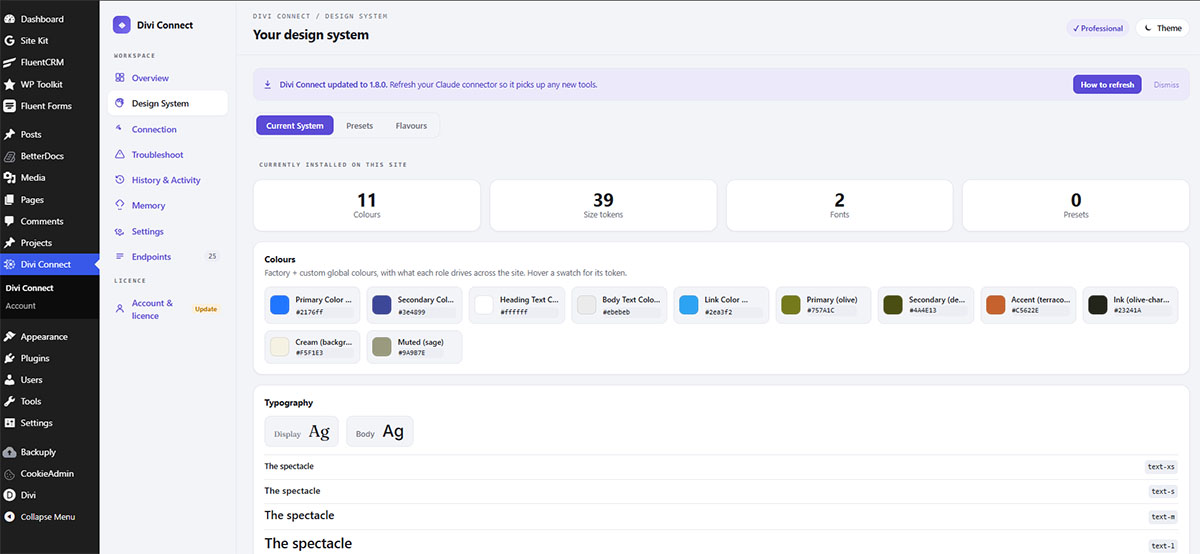
Connect Claude, see your live design system, install a coordinated look, and generate a Style Guide — all from one dashboard, right in wp-admin.
The Design System — new in 1.8.0
A whole design system, in one command.
Install a complete, coordinated look — colours, fonts, spacing, and on Pro a fluid size scale plus a full preset library — that all work together. Then change your site's look without rebuilding a single page.
Install in one command
Pick a few brand inputs and Divi Connect expands them into a full, accessible design system, then writes it into your site's real global colours, fonts and — on Pro — sizes and presets.
Change your look in one click
Switch your site's colours, fonts and spacing across every page at once. Your existing pages pick up the new look automatically — you're changing the design, not rebuilding pages.
One-click revert
Every install is snapshotted first, so any site-wide change is a single click to undo — all the way back to how your site looked before. Trying a look can't paint you into a corner.
A live Style Guide page
Generate a real, editable Divi page showing every colour, font, size and preset in one place — edit any preset at its source and the change flows everywhere it's used.
What you can do
A Divi-native AI workflow.
Design-system aware
Claude reads your real colors, fonts, and spacing variables and builds every page from them — never hardcoded values.
Build & publish live
Describe a page; Claude builds it in real Divi 5 modules and publishes it straight to your site, ready to open in the builder.
Design system in one command
Install a complete, coordinated look — colours, fonts, spacing and presets — then re-theme your whole site without rebuilding pages, with one-click revert.
Edit pages in place
Update existing pages and posts by ID — Claude keeps the URL and history instead of deleting and recreating.
Posts, not just pages
Create real blog posts with categories and tags, styled by your Theme Builder templates.
Theme Builder
Build site-wide headers, footers, and conditional templates — exactly how this site's own header and footer were made.
Manage your tokens
On Pro, Claude can create and update your colors, fonts, variables, and global presets.
Delete-safety built in
Destructive actions require explicit confirmation and default to Trash, so nothing disappears by accident.
Free vs Pro
Start free. Go Pro for the full design system.
Free
From $39 / year
Pro
Pro unlocks at public launch — see plans below. Join the launch waitlist for early access.
Pricing
Simple pricing. Pay yearly for the sites you manage — or go lifetime.
1 site
$39
per year
For solo builders and small studios.
Most popular
5 sites
$59
per year
For busy freelancers and growing agencies.
Unlimited
$89
per year
For agencies running many client sites.
Lifetime deal
$199
one-time · Unlimited sites
Pay once, use Divi Connect Pro forever on unlimited sites. Only 50 available — for our earliest supporters.
Every Pro plan includes a 7-day free trial (card required) and a 7-day money-back guarantee. The Free plan is free forever — no card, no expiry.
Not on sale yet — join the launch waitlist
Divi Connect is in private beta. Leave your email and we'll tell you the moment Pro is available to purchase — waitlist members get a founder discount at launch.
How to connect
From the plugin to Claude in a few clicks.
Claude needs one thing: your Divi Connect connector. Install the plugin, open Divi Connect in WordPress, and copy your connector URL — the one with your private key in it, shown on the screen above. The free Divi 5 Skill, which teaches Claude how to write valid, on-brand Divi 5, is built into the connector — it loads automatically, so there is nothing extra to install. Then connect, whichever Claude you use:
Custom connector
claude.ai (web)
- Copy your MCP connector URL from Divi Connect’s Connection tab.
- Open Settings → Connectors and click Add custom connector.
- Paste the URL (leave the OAuth fields blank) and click Connect.
- Open a chat and ask Claude to read your design system and build a page.
Works on free accounts. The Divi 5 Skill comes with the connector.
Custom connector
Claude Desktop
- Copy the same MCP connector URL from Divi Connect.
- Go to Settings → Connectors → Add custom connector.
- Paste the URL and connect.
- Build pages from your desktop alongside the rest of your work.
Terminal
Claude Code
- In Divi Connect, copy the Quick connect line (your Base URL + API key).
- Paste it into Claude Code inside your project.
- Claude connects over the REST API and builds pages straight from your terminal.
- Also the way in if your host blocks the hosted connector — this runs from your own machine.
The claude.ai connector, step by step
From zero to building in under a minute.
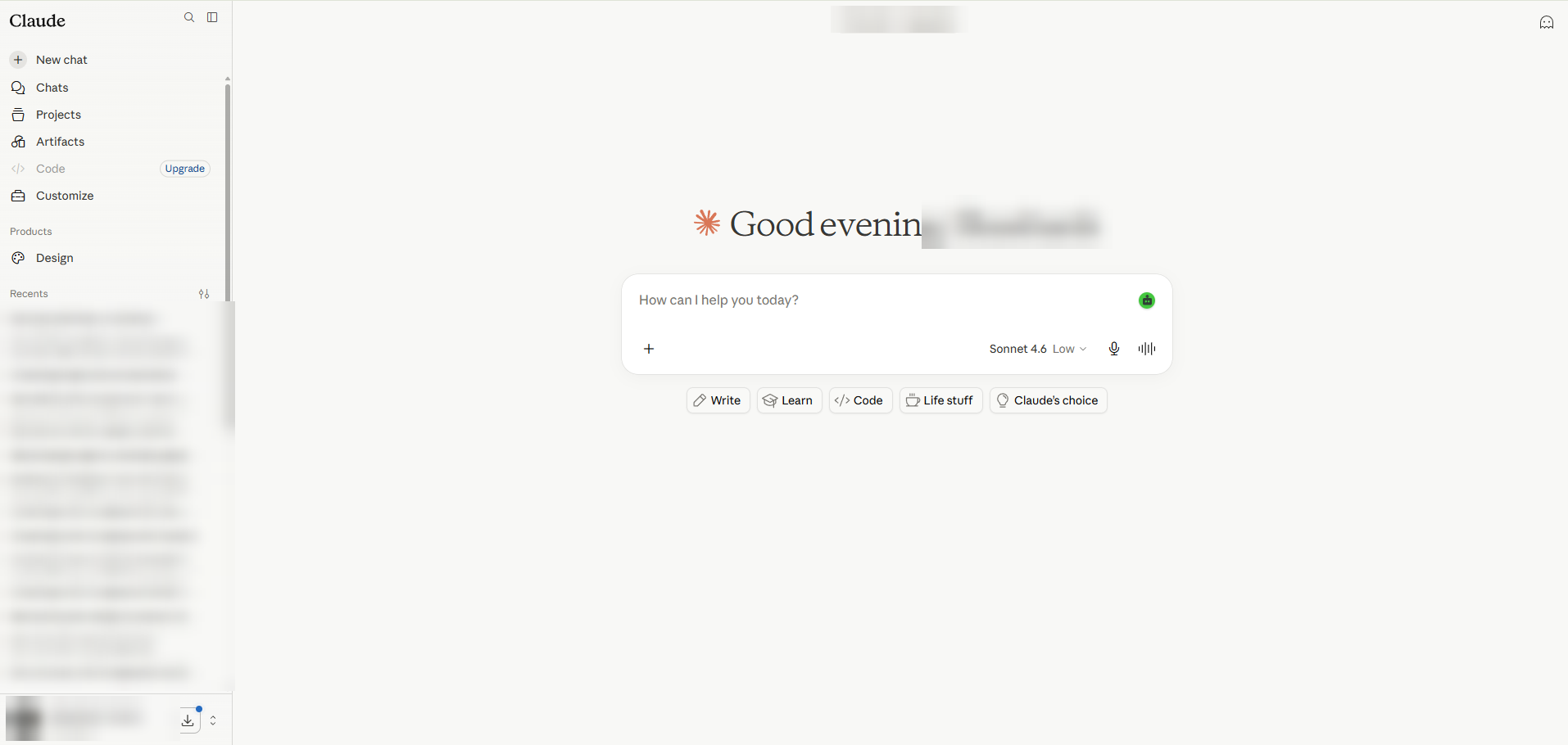
Step 1
Open Customize
In Claude’s left sidebar, open Customize. A free Claude account works fine.
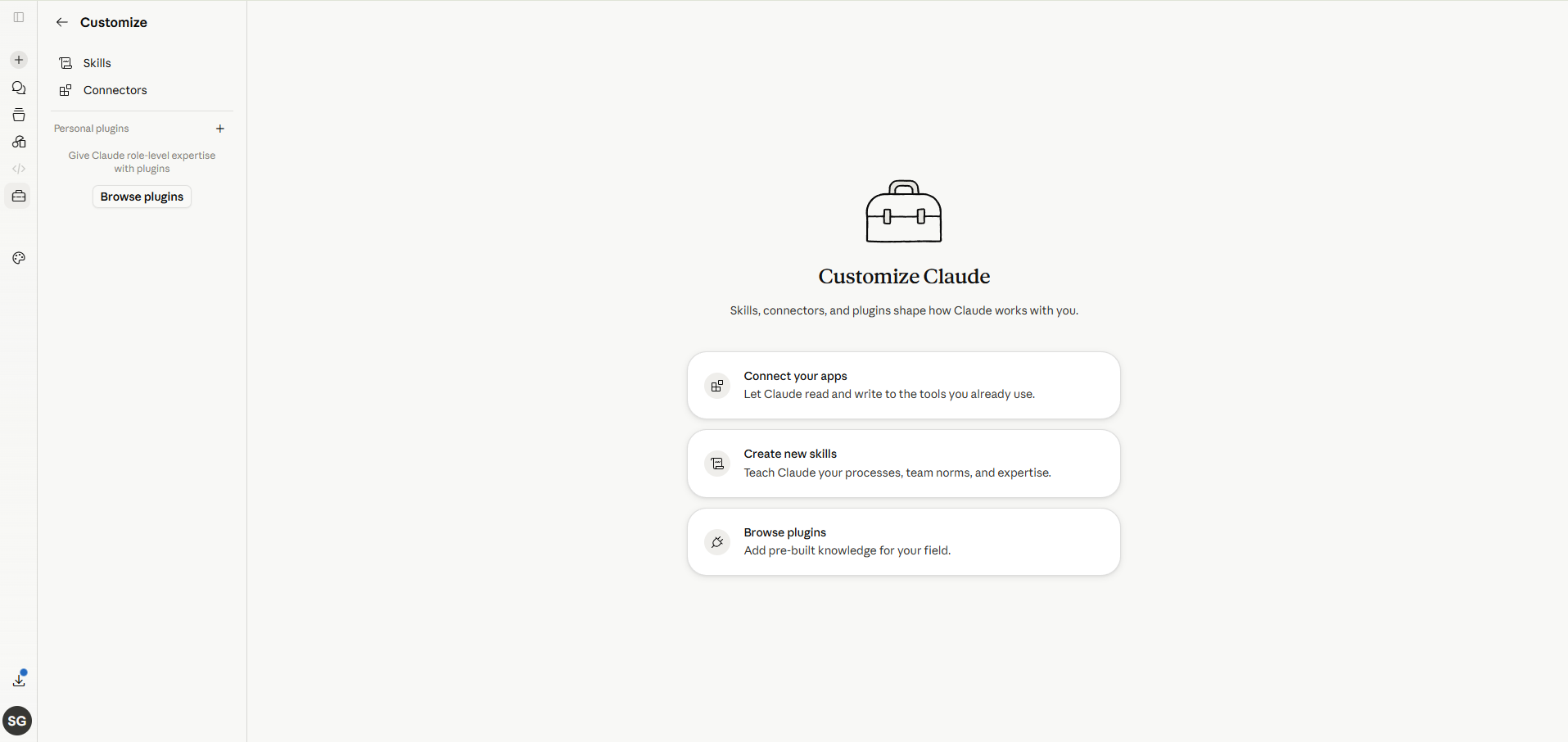
Step 2
Go to Connectors
Under Customize, select Connectors.
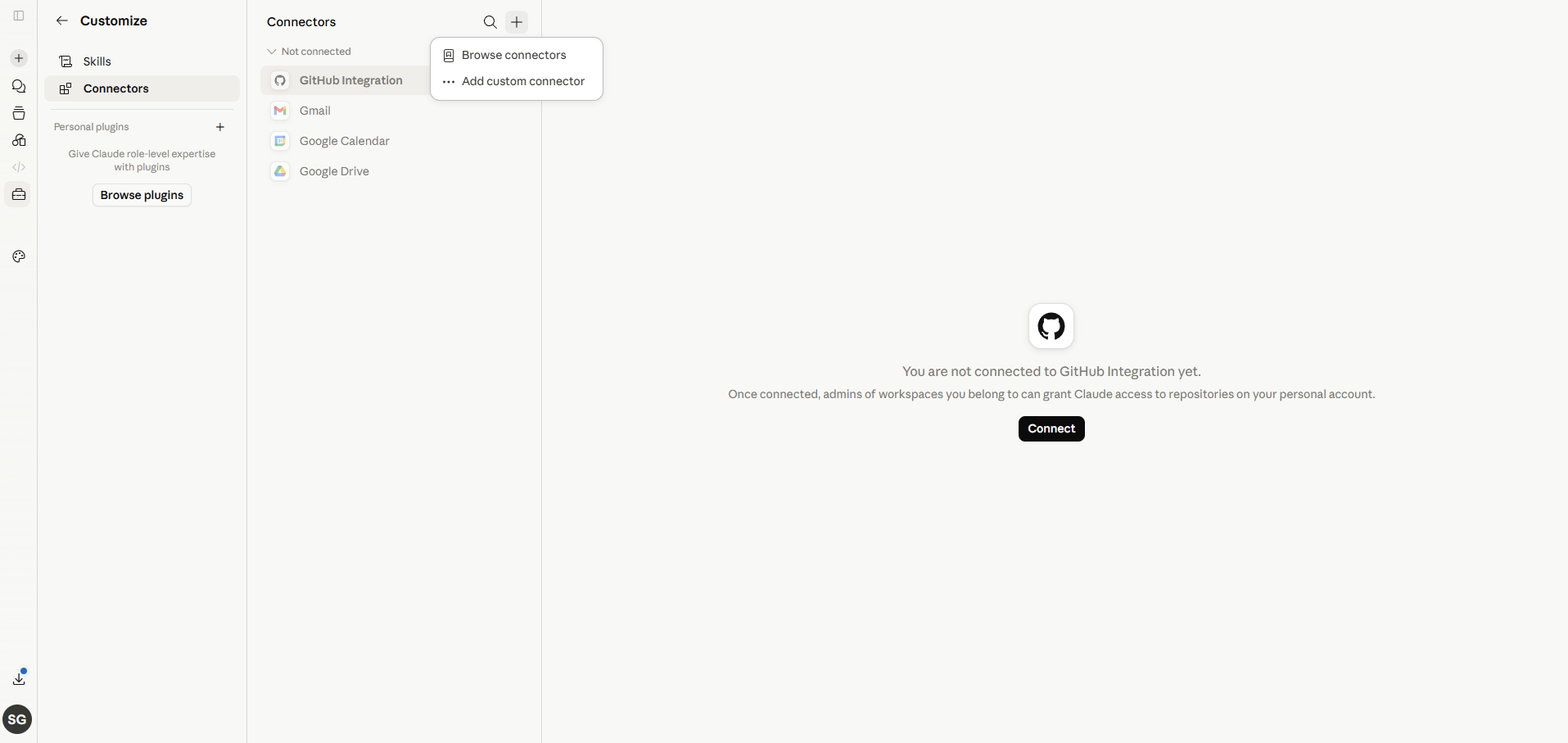
Step 3
Add a custom connector
Click the + in the Connectors panel, then choose Add custom connector.
Step 4
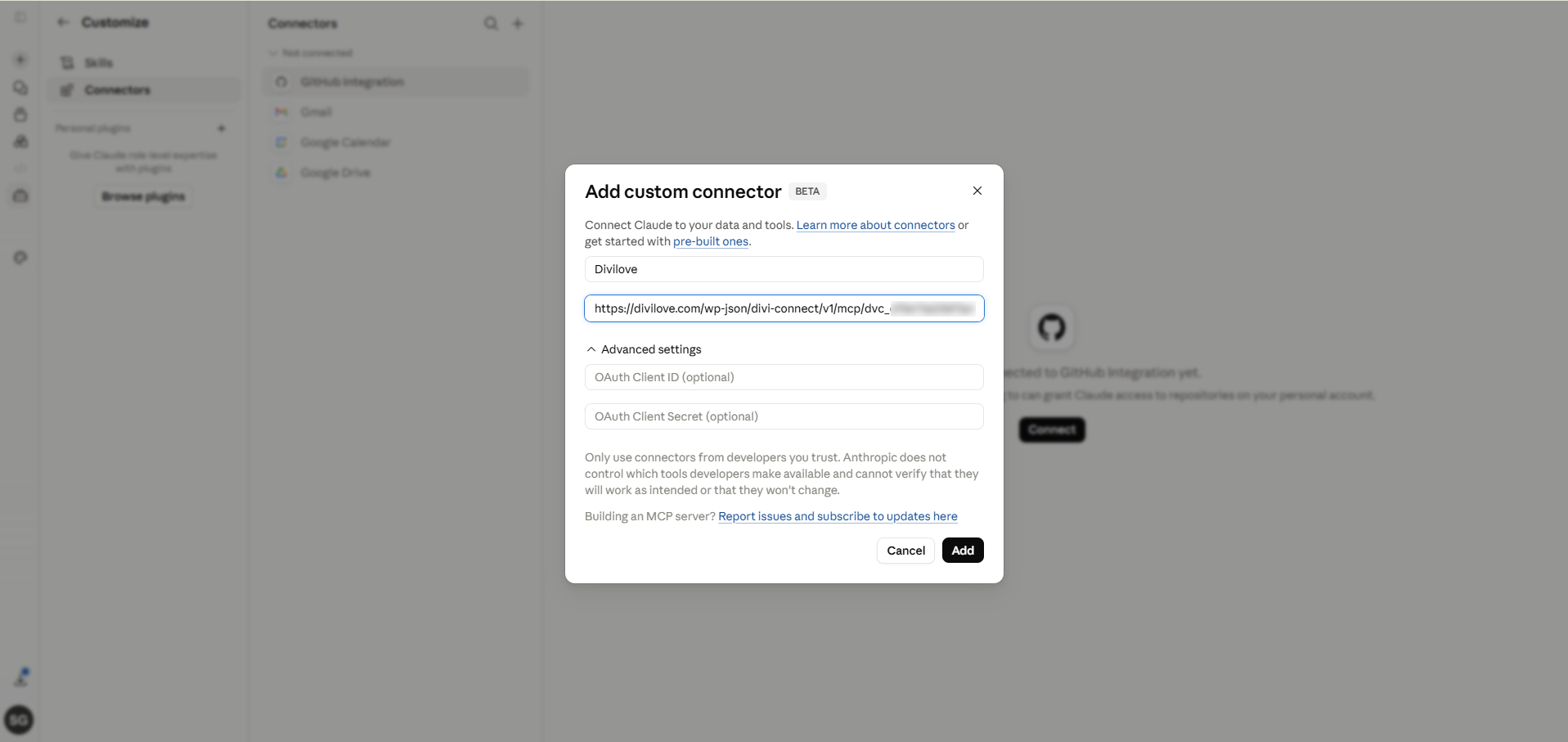
Paste your connector URL
Give it a name, paste your Divi Connect connector URL, leave the OAuth fields blank, and click Add.
Step 5
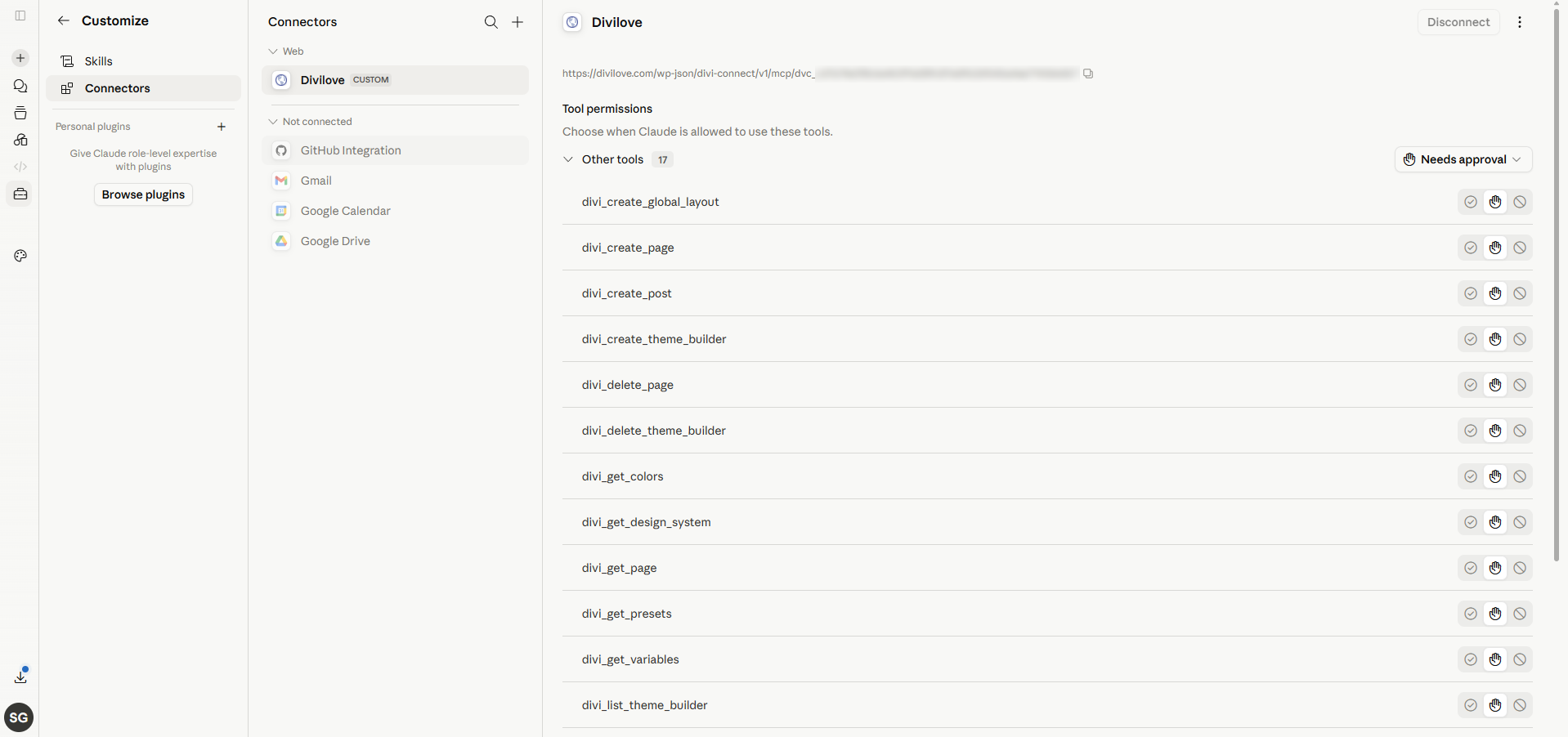
You’re connected
Claude now lists all your Divi tools — build pages, manage the Theme Builder, read your design system, and more.
Step 6
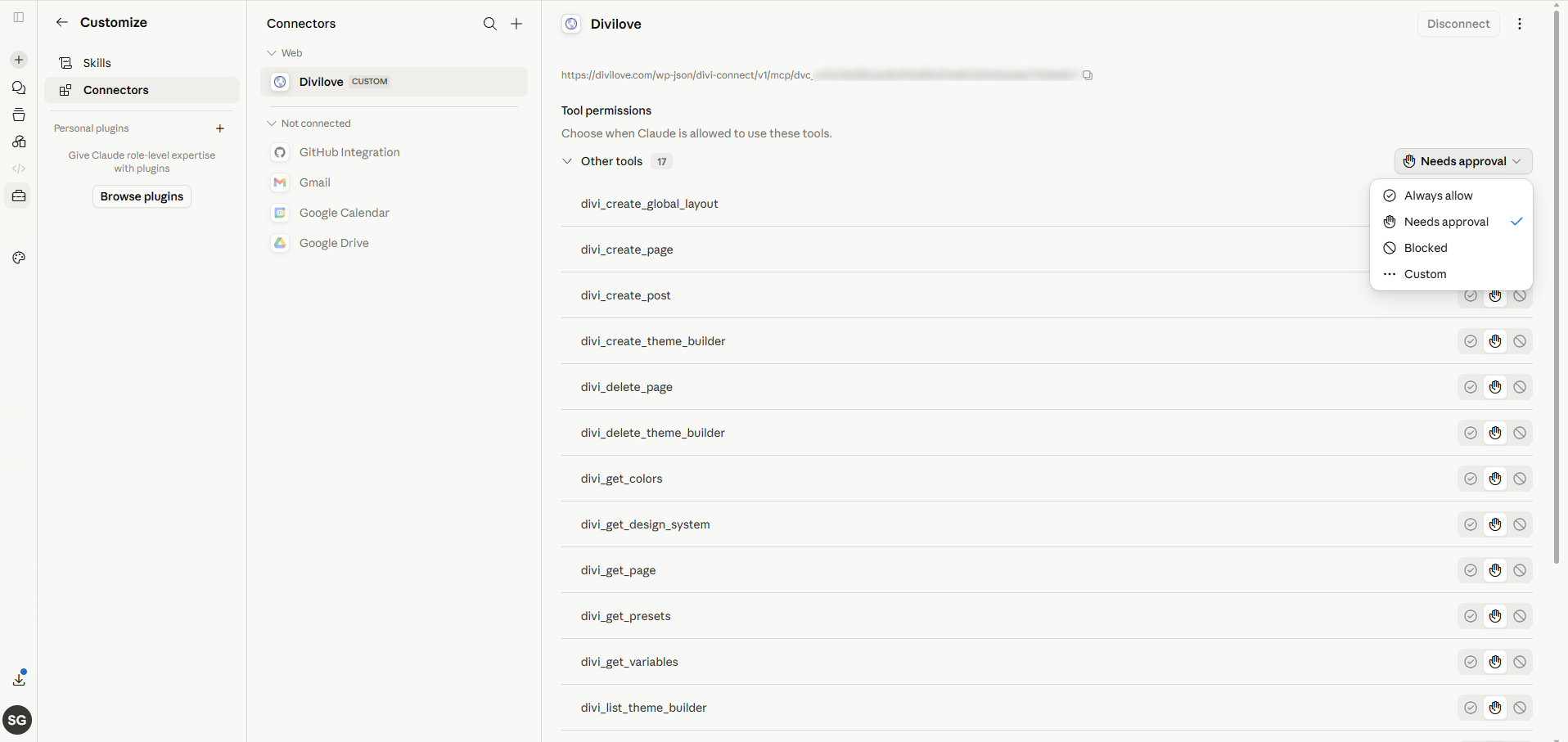
Set tool permissions (optional)
Choose how Claude uses each tool: Always allow, Needs approval, or Blocked.
FAQ
Questions, answered.
Do I need to know how to code?
No. You describe what you want in plain English; Claude writes the Divi markup and publishes it. Everything stays editable in the Divi builder afterwards.
Does it work with my existing Divi site?
Yes. Divi Connect builds on your live Divi 5 site using your existing colors, fonts, and modules. You can also edit existing pages in place.
Will the pages be real Divi modules?
Yes — headings, blurbs, buttons, rows, and more. No code-module soup and no separate page builder to learn.
Can I change my whole site's look — and undo it?
Yes. Install a design system and switch your site's colours, fonts and spacing in one click; every page that uses your global styles follows. Every install is snapshotted first, so one click puts it all back.
Is my site safe?
Access is via a per-site key you control, destructive actions need explicit confirmation, and deletes default to Trash. You can revoke the key any time.
Build your next Divi page by describing it.
Join the private beta and get early access to Divi Connect Pro.